The score at a glance
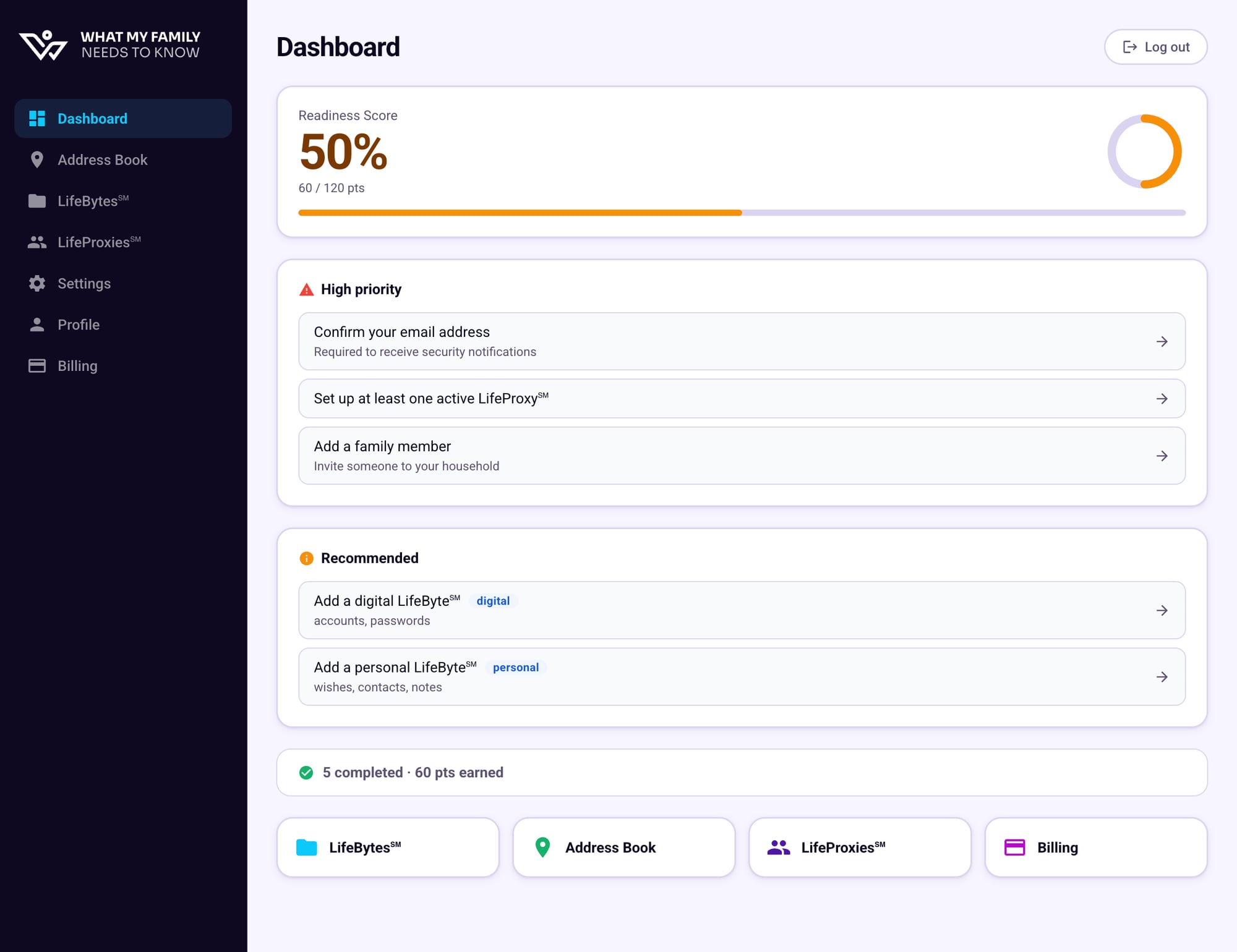
At the top of your Dashboard you'll see your current score, a points breakdown, and a progress bar. The score updates automatically as you add and complete items.
Getting started — your family would struggle without more information
Making progress — the essentials are in, but gaps remain
Well prepared — your family has what they need
Understanding the task sections
Your Dashboard organizes outstanding tasks into three groups:
High Priority
Critical gaps that could leave your family without important access — like confirming your email, setting up a LifeProxy℠, or adding a family member. Do these first.
Recommended
Suggested LifeBytes℠ based on common categories — digital accounts, personal wishes, and more. Not urgent, but valuable to have.
Completed
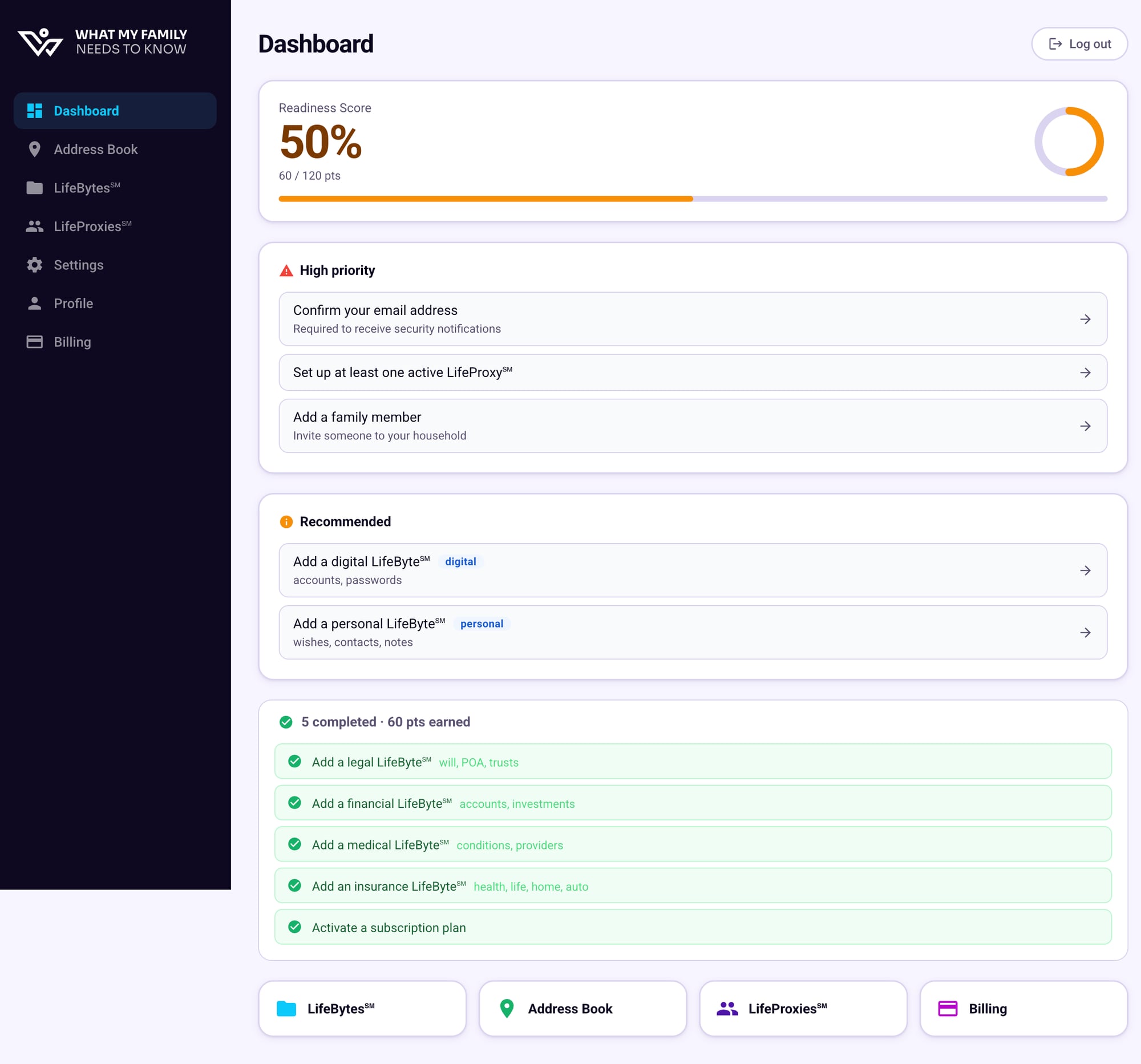
Tasks you've already taken care of. Click to expand and see what's been checked off and how many points each item earned.
Viewing completed items
Click completed · pts earned at the bottom of the task list to expand it. Each completed item shows which LifeByte category it covered.
Quick-access cards
At the bottom of the Dashboard you'll find quick-link cards for LifeBytes℠, Address Book, LifeProxies℠, and Billing. These are shortcuts to jump straight to the section you need without using the sidebar.